When this mode is useful
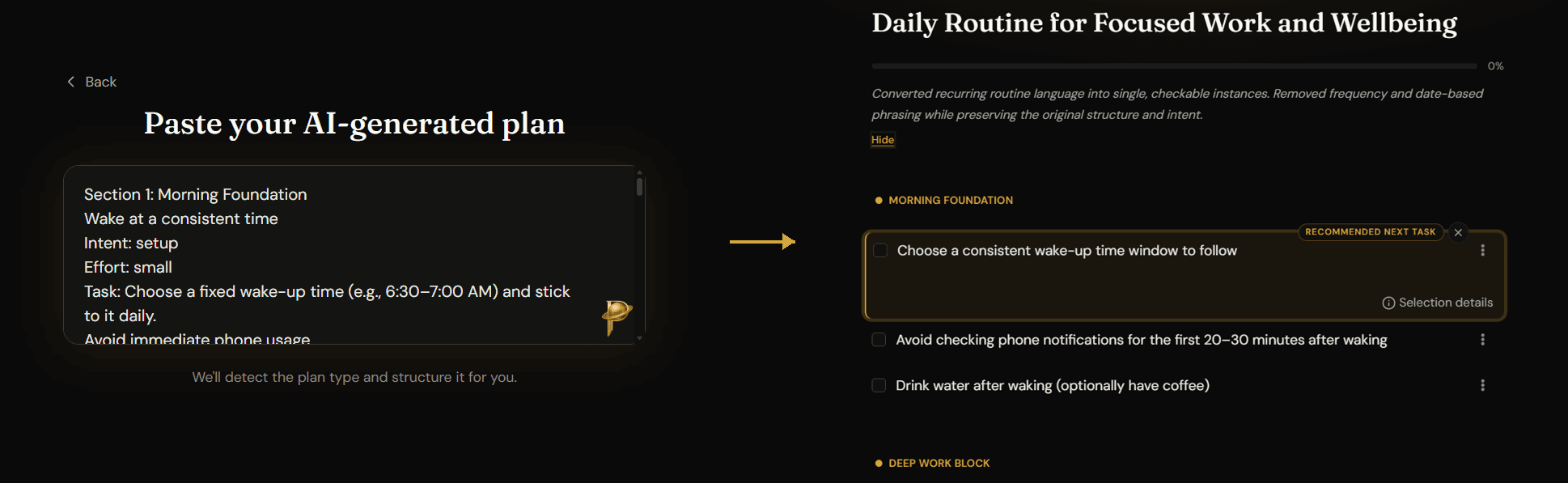
Some of our best plans happen in the midst of long conversations with AI. The output is often a block of text that is not yet organized into a plan format.
- Paste a chat response straight from your AI assistant.
- Planverse detects whether the content fits a learning plan or a to-do plan.
- The imported result becomes a properly structured plan ready for use.
What happens after import
Once the plan has been imported, it behaves like a plan created inside Planverse from the start. That means you can open it, track progress, and use the same learning or execution features that apply to any other plan in the product. Import is therefore a way to bring outside planning work into the main Planverse workflow.